> ## Documentation Index
> Fetch the complete documentation index at: https://developers.fireblocks.com/llms.txt
> Use this file to discover all available pages before exploring further.
# Backup and Recovery Overview
For Fireblocks' recommended embedded wallet solution, see [Dynamic Embedded Wallets](/docs/dynamic-embedded-wallets). The documentation below covers the legacy Embedded Wallet APIs and SDKs.
The Fireblocks Embedded Wallet (EW) provides a backup and recovery mechanism to ensure that users can recover their keys even if their EW device is lost or damaged.
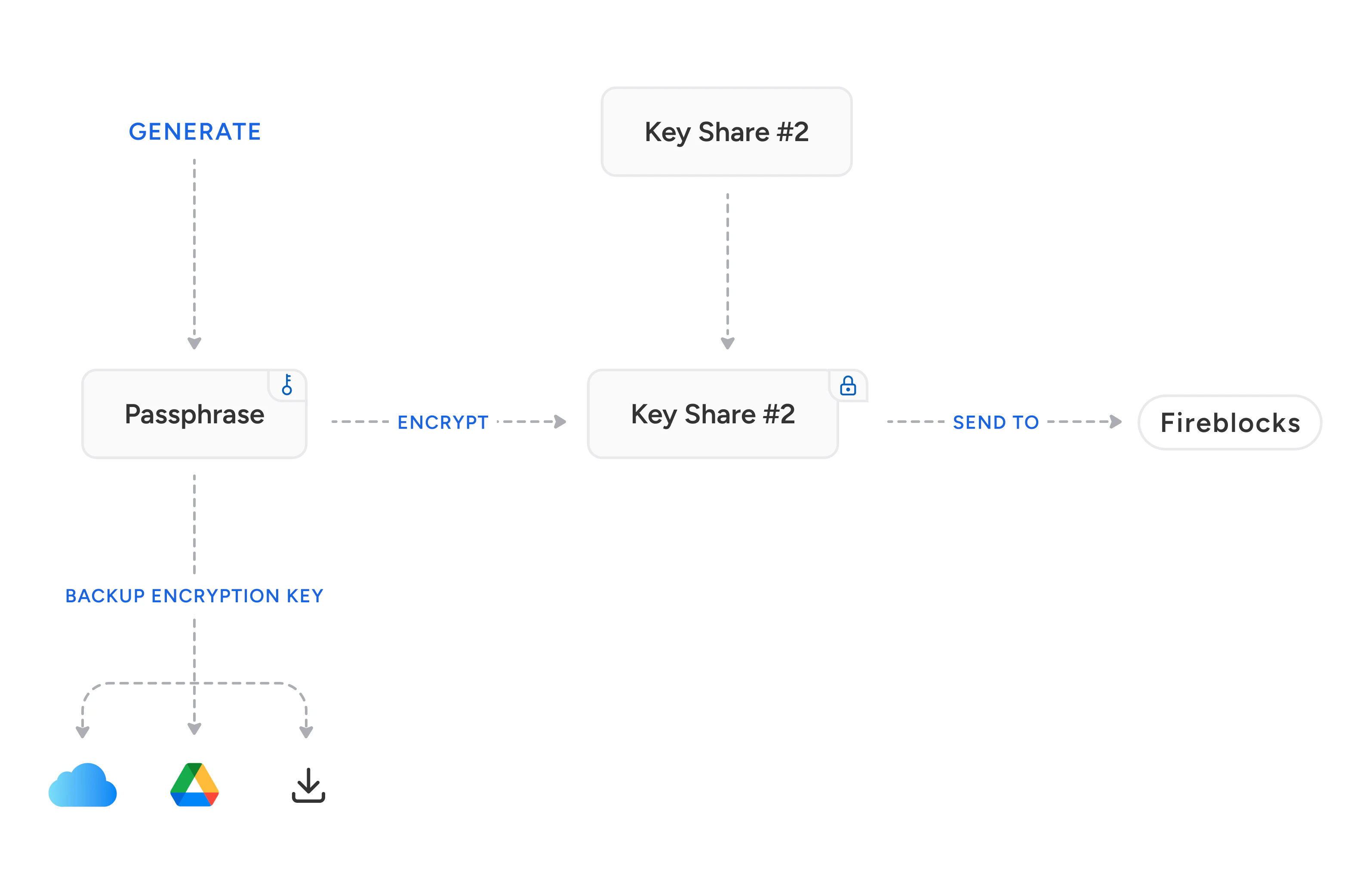
The Fireblocks EW feature allows you to create a backup of the end-user key share on the device. When initiating the backup, the customer application will generate an encryption key. The key share is then encrypted using this key and stored on Fireblocks servers. The encryption key can then be backed up in various ways, such as placing it on the user's iCloud or Google Drive using end-user authentication or simply downloading it to a file.
Upon recovery, the encrypted key share is fetched from Fireblocks' servers, and if the end-user provides the correct encryption key, the recovery will be successful.
 # Key Backup Configuration
Key backups are required by default in Fireblocks workspaces. If you want to make them optional, submit a request to Fireblocks Support (requires a Fireblocks Help Center login).
Please note that when key backups are not required, end users can start using their wallets without a backup (but can create one later). Fireblocks highly recommends users create backups since it helps ensure they can access their funds.
# Key Backup Configuration
Key backups are required by default in Fireblocks workspaces. If you want to make them optional, submit a request to Fireblocks Support (requires a Fireblocks Help Center login).
Please note that when key backups are not required, end users can start using their wallets without a backup (but can create one later). Fireblocks highly recommends users create backups since it helps ensure they can access their funds.